
Bulk QR code generator: one list, one ZIP, up to 100 codes
Generating 50 QR codes one by one is a punishment. Paste your list — or import a CSV — and get a ZIP archive with one named file per code. Free, no account, and everything happens in your browser: your data is sent nowhere.
How it works
- Prepare your list — two columns:
content(what the code encodes: URL, text, serial number) andname(the output file name). A CSV exported from a spreadsheet works as-is. - Import or paste — “Batch” mode accepts a CSV file or a direct paste. You review the list before running.
- Download the ZIP — one file per code, PNG or SVG as you choose, each named after the
namecolumn. Ready to print or drop into your label template.
Use cases
- Inventory and equipment — one code per machine or shelf, encoding its reference or internal record: staff scan instead of typing.
- Badges and check-in — one code per attendee or room, generated straight from the registration list.
- Packaging and labels — a series of codes for product references, cleanly named for the designer.
- Multi-site campaigns — a URL with a distinct
?source=parameter per medium (flyer-a, subway-poster…): scans are then measured in your own web analytics, no third party involved. - Libraries and collections — one code per item linking to its online record.
Limitations worth knowing (honestly)
- Maximum 100 codes per batch — beyond that, split your file. Generation is instant, so it’s not a real blocker.
- No per-code tracking — the codes are static: no dashboard, no counters. That’s also what makes them permanent and account-free.
- No vCard, Wi-Fi or event codes in bulk — batch encodes raw content; structured formats stay in single generation.
- No individual preview — you see the list, not the 100 patterns. Test a sample from the ZIP before a print run.
Best practices
- Give files unique, meaningful names (
shelf-a-04rather thancode-17): that’s the name you’ll find in the ZIP and at the printer’s. - Keep contents short: a long URL or dense text produces a fine pattern that’s harder to scan small.
- Export as SVG if the codes go to a printer or into a layout: vector stays sharp at any size.
- Test 5 or 6 codes from the ZIP on real phones before the full print run — especially at small sizes. → Minimum print size
Frequently asked questions
How many QR codes can I generate at once?
Up to 100 codes per batch. Beyond that, split your list into several files: generation is instant, so the limit isn’t what slows you down — cleanly naming your rows is.
What file format do I get?
A ZIP archive containing one file per code, in PNG or SVG as you choose. Each file is named after the “name” column of your list — essential when generating 80 labels at once.
Can I generate Wi-Fi or vCard QR codes in bulk?
No: batch mode encodes raw content — URLs, text, serial numbers. Structured formats (Wi-Fi, vCard, event) are generated one by one in their dedicated mode. Tip: for a series of structured URLs, build the links in your spreadsheet then paste the column.
Are bulk-generated codes tracked?
No — they are static, with no redirect and no dashboard. To measure scans, encode URLs with a distinct parameter per code (?source=poster-a, ?source=poster-b…) and read the results in your own web analytics.
See also
- FlashScan Pro — free, local code scanner and generator.
- Generating QR codes in bulk: the complete guide — detailed method, CSV format, pitfalls to avoid.
- Barcode generator — EAN-13, Code 128 for the same kind of series.
- Code 128 vs EAN-13 vs UPC-A — picking the right barcode format.
- QR codes for print marketing — flyers, packaging, posters.
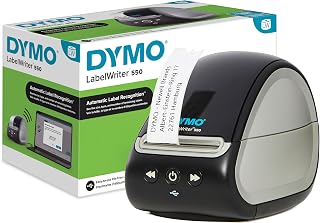 DYMO LabelWriter 550 — label printerBarcode and address labels with no ink: direct thermal.affiliateSee on Amazon